Markers in mind map in Advanced Product Designer
Advanced Product Designer uses XMind markers to identify product model elements such as product lines, risk objects, and coverages in a mind map during import. Other XMind markers can flag items for review but are ignored at import.
XMind provides Markers to describe and classify the topics your mind map. Guidewire provides XMind markers to tag the elements of your map that are part of the product model.
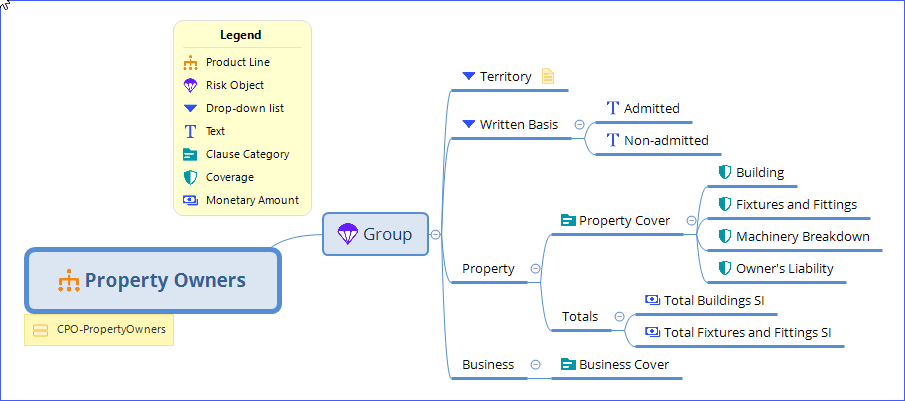
The following screen shot from XMind shows a product
line with Guidewire markers identifying the product line, risk object, coverages, attributes,
and other parts of the product. These markers provide information that Advanced Product Designer App uses when importing the map.
Other XMind markers
Besides the Guidewire markers, you can use other XMind markers for any purpose, such as flagging items that need further review. Excepting the Guidewire markers, these are ignored when importing into Advanced Product Designer App.