What's new in InsuranceNow for Olos
Here are the Olos release highlights for InsuranceNow. For more details, see the InsuranceNow Core Release Notes.
Carrier user access security
A limited implementation of carrier user access security was introduced in the Niseko (2025.2.0) release for customers in our Early Access program. In the 2025.3.0 release, the implementation is complete and the feature is available for everyone.
When enabled, carrier user access security allows your organization to control carrier access to providers, producers, and customers. The activities of multiple carriers can now be isolated within a single InsuranceNow instance by apply access controls based on user credentials, authority roles, and carrier group restrictions.
Key features include:
- Segregation of Functions: The operating environment is divided into administrative/management and normal operational functions.
- Carrier Isolation: Each carrier can only see their own accounts, policies, claims, and billing information, while the parent company can view all carriers' details.
- Administrative Functions: Only the parent company can perform tasks like running batch jobs, provisioning users, and posting payments.
- Carrier Group Association: Users, producers, and providers can be associated with specific carrier groups, restricting their access to information within their group.
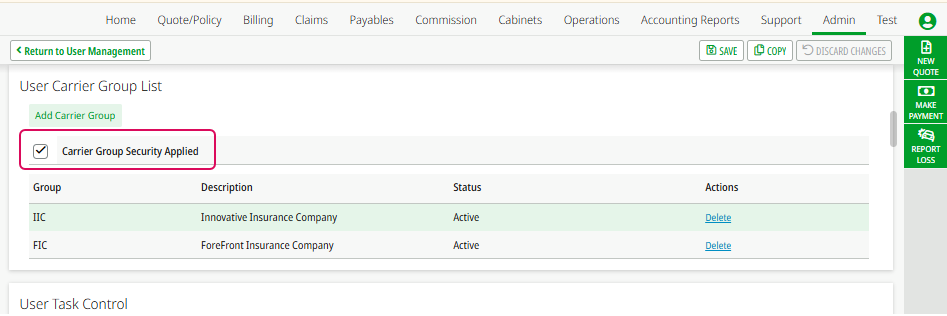
Using this feature involves managing the security and access rights of participating carriers, ensuring that search results and access are limited to entities within the same carrier group. The InsuranceNow user interface was enhanced accordingly. When administrators access the User Management page, the User Carrier Group List panel now has a Carrier Group Security Applied check box.
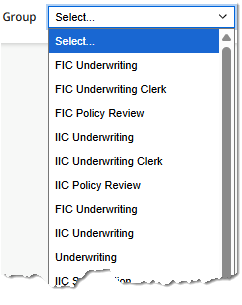
When enabled, all Task Group lists show task groups for each carrier group your organization has defined, as well as task groups that are not associated with any carrier group. The carrier group code appears as a prefix to the task group name. For example, if one of your carrier groups is named ForeFront Insurance Company, it might have a carrier group code of FIC. The Underwriting Clerk task group for this carrier group would appear as FIC Underwriting Clerk.
Claims Intel integration
Claims processing is a complex and critical part of the insurance lifecycle, involving tasks such as reserve adjustment, adjuster assignment, attorney coverage, and vendor selection. Previously, experience and company guidelines drove these decisions, often resulting in inconsistent outcomes.
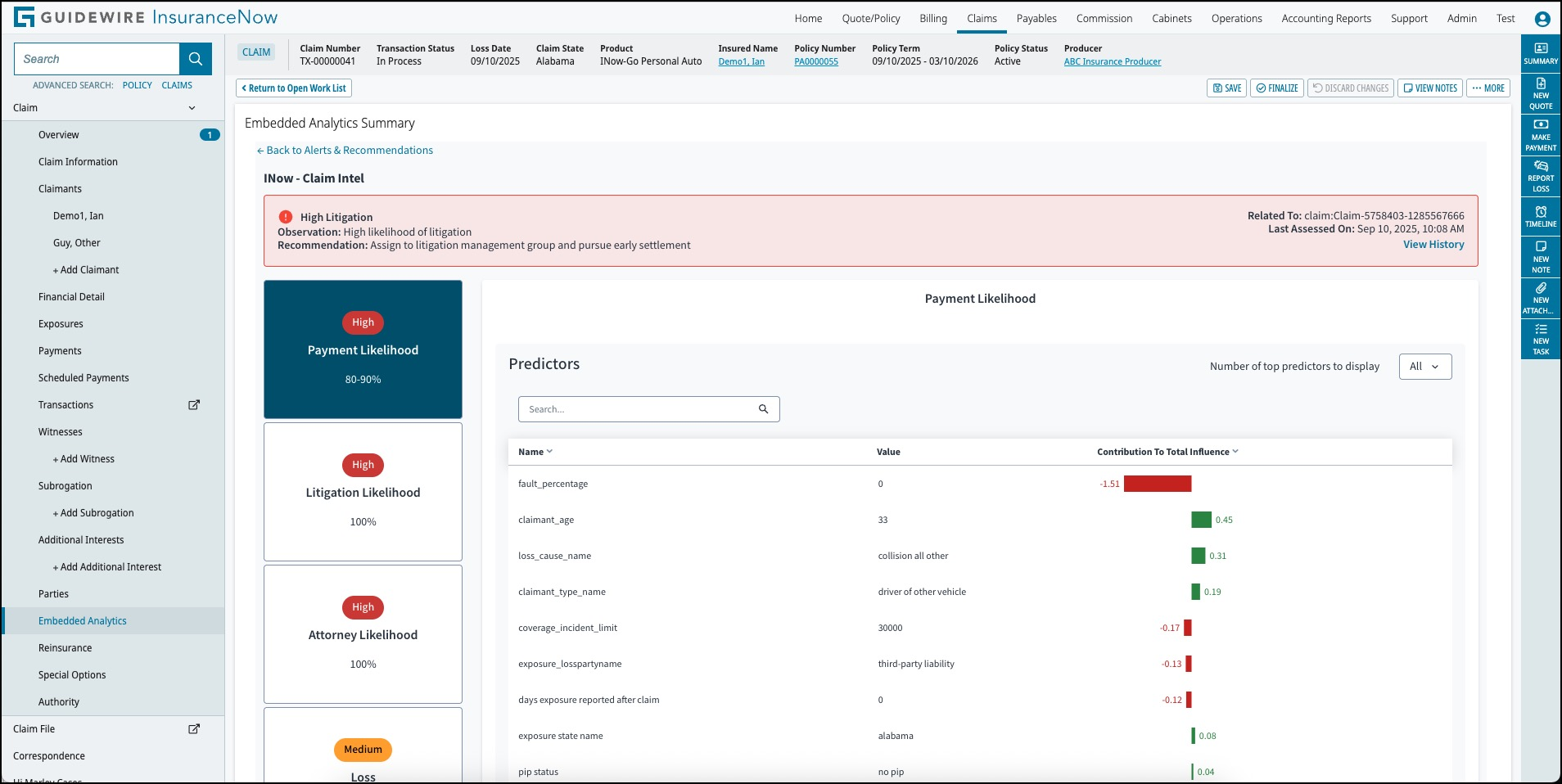
Claims Intel, which uses historical claims data to provide predictive insights, enables InsuranceNow users to make more informed and consistent decisions throughout the claims process. The integration displays Claims Intel values directly within InsuranceNow screens, improving efficiency and accuracy. This matters to customers because it streamlines claim handling, reduces reliance on subjective judgment, and helps deliver better, faster outcomes for policyholders.
For a short demonstration, watch this video:
Hi Marley batch job improved to fix out-of-sync conditions
The capabilities of our Hi Marley upgrade job are expanded so that you can use it as a tool to synchronize chat cases between InsuranceNow and Hi Marley after network or server downtime.
In previous releases, there was a batch job that was used one time during an update to synchronize chat cases. This job was named Upgrade Actions 2024.2.2 to 2024.3.0 and contained the job action Upgrade the IdRef for ChatMessage in the ChatCase table.
In this release, the following changes were made:
- Moved the job action to a new job named Chat Case Maintenance. The name of the job action is unchanged.
- Added start and end date range parameters that enable you to specify the period during which chat cases were not synchronized.
- Added a new authority roll, Allow Chat Case Jobs
(
AllowChatCaseJobs) that you can use to control who can run Chat Case Maintenance jobs.
If you experience an event that causes InsuranceNow to be out of sync with Hi Marley, run this job action, specifying the time range of the event to get things back in sync.
One Inc aggregated vendor payments and local check printing
Aggregated vendor payments
Support was enabled for One Inc aggregated vendor payments in InsuranceNow Core. When multiple payments are made to a vendor configured for aggregation, the system now generates a single aggregate payment. This feature must be enabled with One Inc and it applies only when the vendor has more than one payment.
Streamlined vendor payment workflows benefit customers, making financial operations more efficient and less error-prone. Easier payment management, reduced manual effort, and consolidated payments improve vendor satisfaction, which benefits customers. The following improvements were included:
- Simplified payment processing by consolidating multiple payments to the same vendor into a single transaction.
- Reduced administrative overhead and potential errors from managing multiple payments.
- Improved reconciliation and tracking for vendors who receive frequent payments.
Print Now local check printing
When you issue a mailed check through One Inc ClaimsPay®, you now have the ability to print the check on a local printer within your organization.
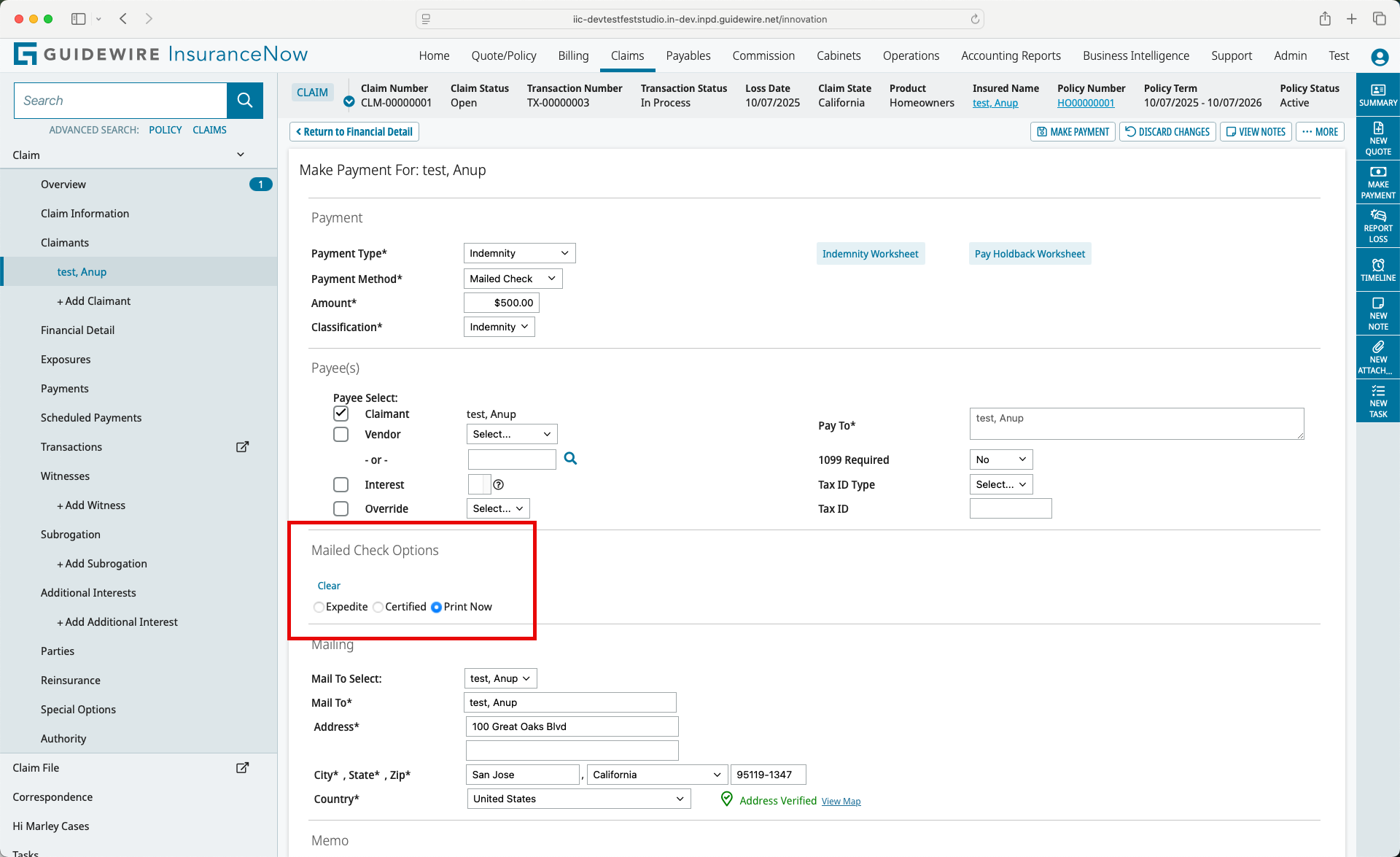
After selecting Mailed Check in any of the Claim Payment pages, the Mailed Check Options panel shows a Print Now option. Be aware that if you select this option, you cannot select the Expedite or Certified options, because those are available only when One Inc handles the printing.
After completing the operation, One Inc immediately sends a PDF file of the check and displays it within the InsuranceNow user interface. You are then responsible for sending the check to your local check printer.
Be aware that if the check fails to print correctly on your local printer, you have 30 minutes during which a Reprint Check button is available on the Payment page. After 30 minutes, the Reprint Check button becomes inactive. At that point, you must void the check and start a new payment transaction.
Attachments are not included with Print Now checks. Instead, payees receive an email with a link to the One Inc portal where they can see any attachments related to the corresponding claim number.
AllowOneIncPrintNow)
authority.A non-negotiable copy of the check is stored in the InsuranceNow claim file for future reference. By default, it is watermarked with the word “NON-NEGOTIABLE.” You can configure the watermark in payment-general.xls.
Verisk ISO RaaS integration with GO Commercial Auto
The Verisk ISO Rating-as-a-Service (RaaS) feature is currently integrated with GO Commercial Auto property line of business as a standard offering. The following Commercial Auto example illustrates how the premium was derived by displaying the RaaS Worksheet that is returned to InsuranceNow from the ISO RaaS rating engine.
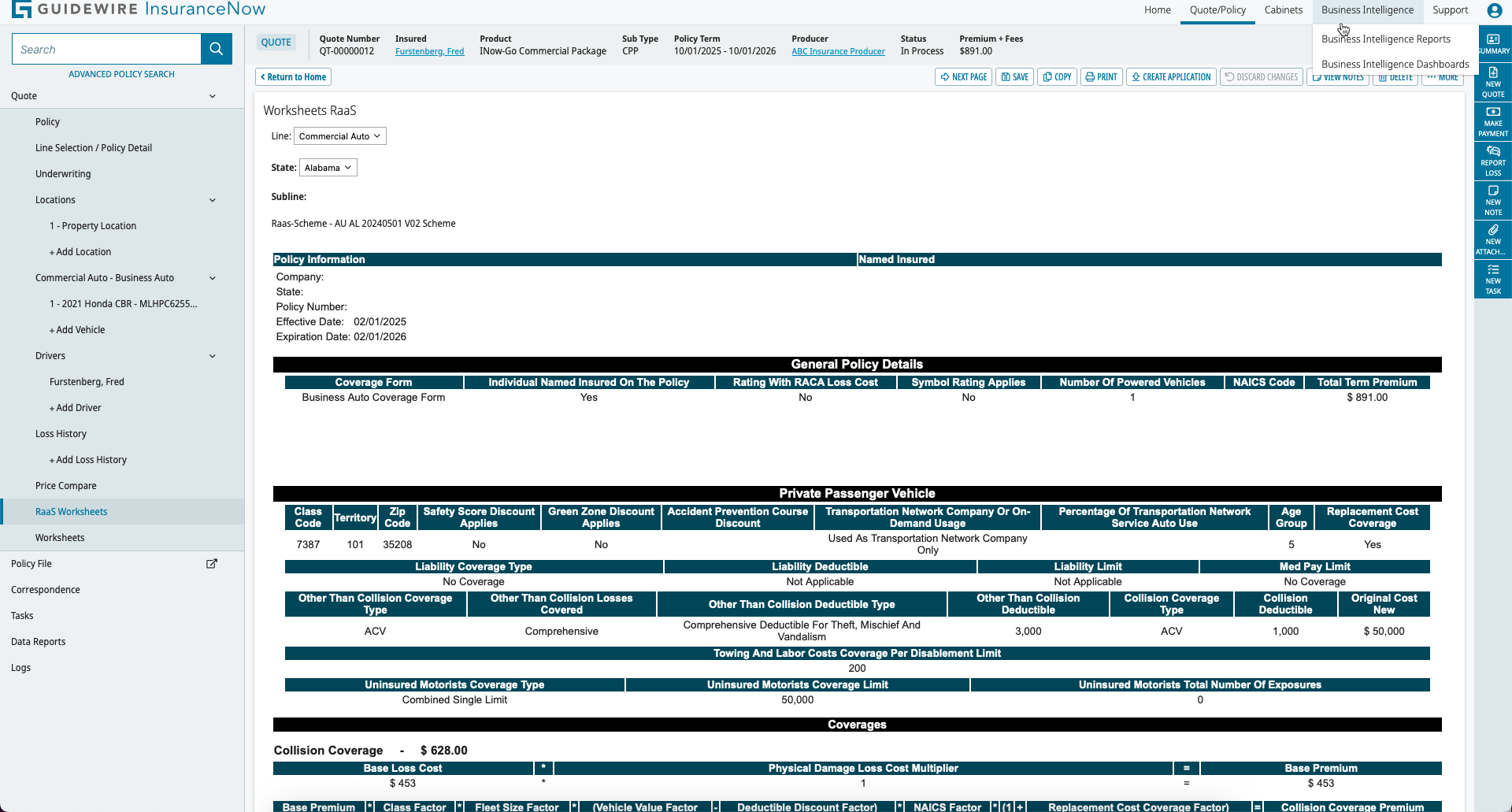
Commercial Auto
With the 2025.3.0 release, the only policy types RaaS-enabled are:- Business Auto Coverage Form
- Motor Carrier Coverage Form
- Commercial Property
- Commercial General Liability
- Inland Marine
Update run reports available in customer TeamCity
InsuranceNow now publishes automated update‑run reports from Product Development (PD) directly into customer‑owned TeamCity instances for easier access. Previously these reports were only visible in PD TeamCity and you had to request them from Professional Services (PS).
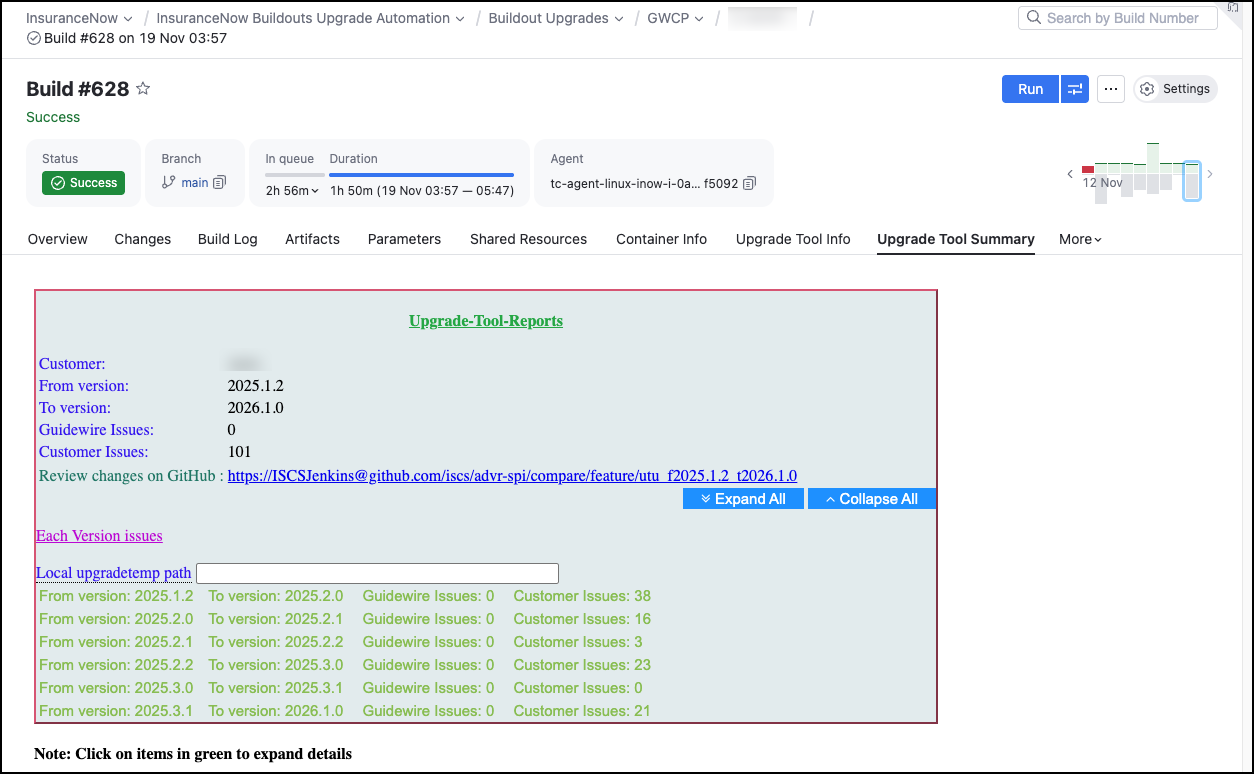
Benefits for self-led customers include the following:
- For self‑led customers, reports are available in their own TeamCity.
- For Guidewire‑led customers, you can request reports from your Technical Account Manager (TAM) or PS contact, if needed.
Benefits for self-led customers include the following:
- Faster, self‑service visibility into update results within the customer’s own tooling environment.
- Reduced back‑and‑forth with Guidewire to obtain report artifacts.
- Quicker triage and decision‑making because the customer sees results where they already work.
- Clear access model for both self‑led (direct in TeamCity) and Guidewire‑led (through TAM/PS) deployments.
Support for specifying AWS region in Static Look feature
You can now specify the AWS region for the S3 bucket used by the Static Look feature in InsuranceNow. Previously, the feature assumed the S3 bucket was in the same AWS region as the Looker server. With this enhancement, customers can now configure the S3 bucket region per Static Look schedule, improving data residency and compliance.
No action is required unless you want to change the S3 bucket region for your Static Looks.
Enhanced descriptions with HTML styling in Service Portal Policy Details
This release enhances the Policy Details screen in the Service Portal by adding HTML inline styling support to several existing internationalization (i18n) text spots and introducing new ones. These changes enable customers to add rich text descriptions—including color, fonts, and other HTML formatting—under the Policy Details → Documents section. This improvement provides clearer instructions for uploading multiple files and supported file types, improving user guidance and experience.
Support for policyholder opt-in language for automatic payments in Payment Schedule
This release introduces a new configurable internationalization (i18n) feature in the Service Portal's payment schedule. It allows customers to add customizable language regarding policyholders' opt-in to automatic payments when selecting automated payment plans.
This feature includes the following improvements to improve policyholder clarity and consent options for automatic payment arrangements within their payment schedules, enhancing user experience and compliance flexibility.
- Addition of a bottom opt-in container in the payment schedule where the i18n key changePayPlan.automatedPlanBottomDescription can be set with HTML and inline styles to meet customer needs.
- The opt-in language container is styled to align right by default and only appears if the payment plan is of an automated type and the i18n text is explicitly configured.
- The existing top description changePayPlan.automatedPlanBottomDescription remains independently configurable.
- The bottom description includes a default top margin for visual separation from other user interface elements.
- Both i18n spots support HTML content and inline styling, providing flexibility in presentation.