Policyholders submit claims in Service Portal by reporting a loss, entering details, and confirming the claim.
Policyholders create a claim in the Consumer Service Portal (Service
Portal) with the following steps:
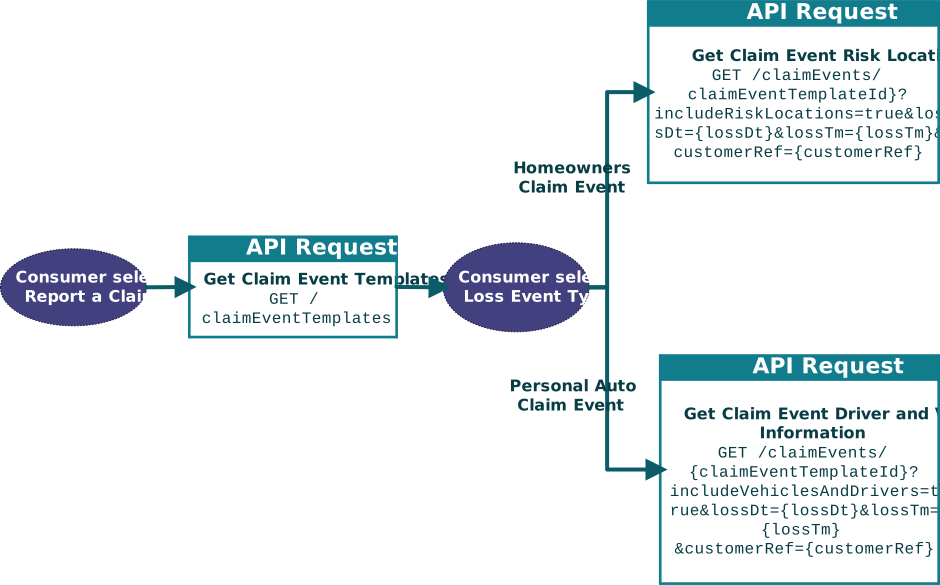
Report a claim.
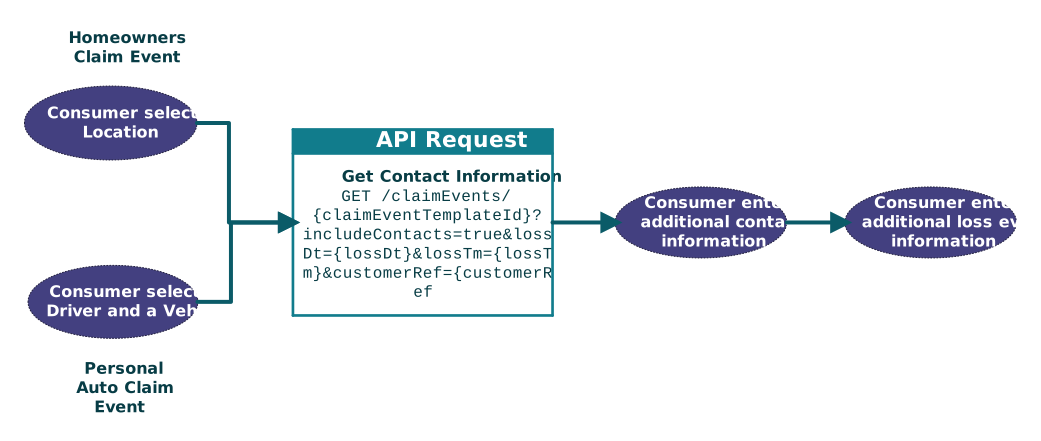
Enter loss details
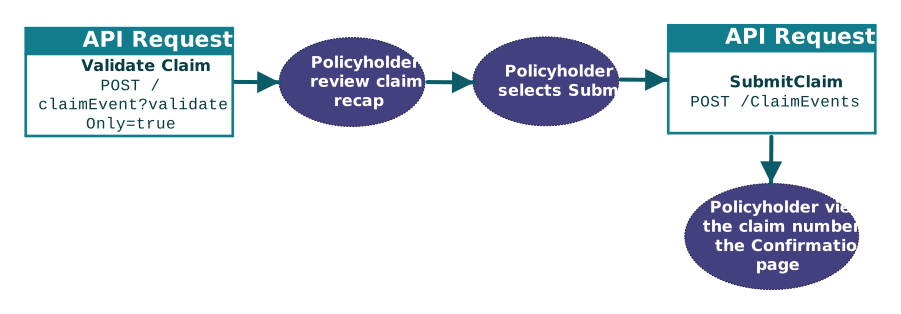
Submit a claim.
Report a Claim
Submitting a claim starts with the policyholder reporting a claim and selecting a loss
event type. The types of policies held by the policyholder and the claim product setup
determine the types of loss events that are available to the policyholder.
Enter Loss Details
Entering the loss event details includes the policyholder selecting a location, entering
contact information, and providing additional details on the loss event. Some of the
policyholder information is populated from their existing policyholder account.
When the policyholder enters loss event information, they have the option to add pictures
and PDFs. For more information, see Adding attachments in Service Portal.
Submit a Claim
Submitting a claim includes the policyholder reviewing the Claim recap
page and selecting the option to submit the claim.
Note: In this flow, the portal provides a summary of the data entered by the user on the
Claim Recap page without the need of an API to retrieve the data.
The POST /claimEvents endpoint is the first API call that writes the
claim event details to the server.