Working on tasks in Agent Portal
Agents work on tasks in Agent Portal by viewing, taking ownership, and updating task status.
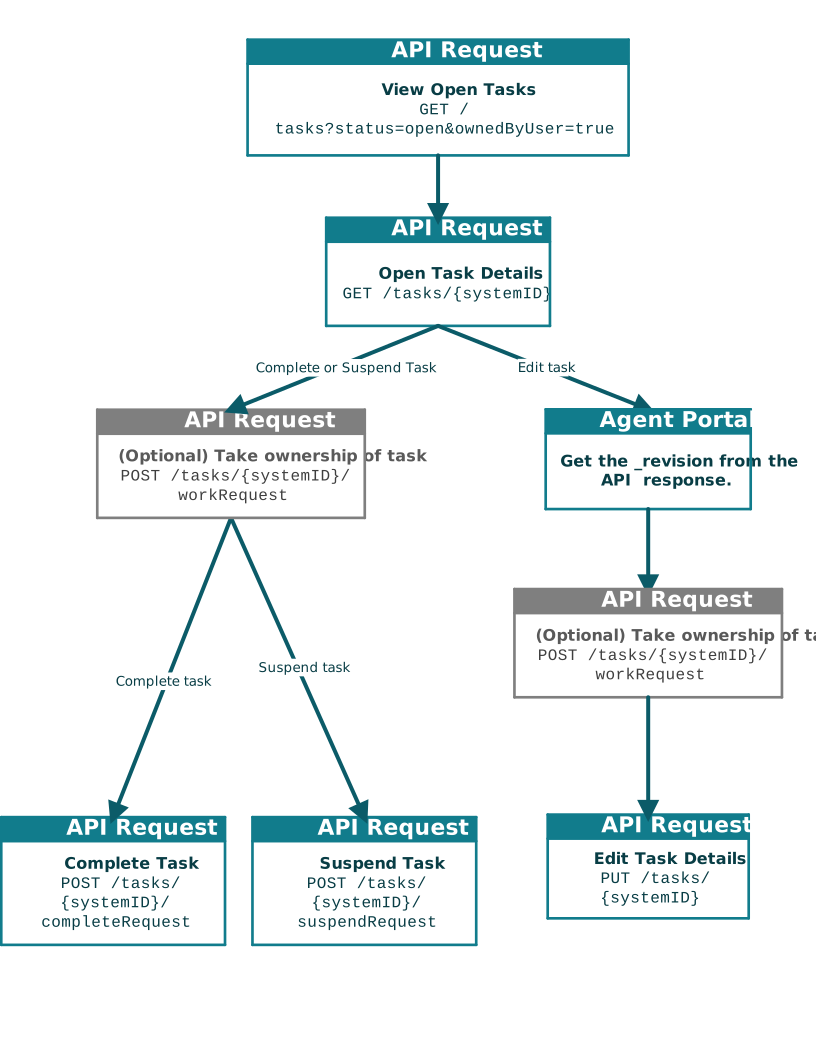
In general, agent portals include the ability to view open tasks and then edit the task with more details or a change in status.
The process to work on a task can include the following steps:
- The portal displays a list of open tasks that the agent has the authority to own. If the agent is part of a group, they see tasks assigned to groups they are associated with as well.
- The agent selects a task to view.
- The portal displays the task details.
- Optionally, the agent takes ownership of the task. It is not required for an agent to take ownership of a task before making changes to a task.
- The agent determines how to address the task. This may include suspending the task, complete the task, or editing the task.