Cloud API third-party data access architecture
This topic only applies to ClaimCenter.
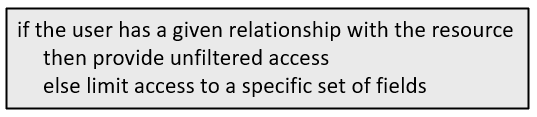
The logic itself is declared in several different files.
The if/else statement: additional accessible fields filters
The "if/else" statement is declared in the resource access file. A resource access
file is a file that defines a resource access strategy. Resource access
files list resource types (such as Claim). For each type, it can
specify permissions and filter logic that
identifies which resources a caller can access. The logic in these sections is not
field-specific. The logic either grants access to all fields on the resource or none
of them.
Resource access files can also contain additional accessible fields filters. An additional accessible fields filter is the if/else statement. It is a Gosu expression that evaluates the business relationship the user has with a given resource. If the expression returns null, the user gets unfiltered access to the resource. If it returns a string, the user is restricted to a specific subset of fields as defined in a file whose name is that string.
additionalAccessibleFieldsFilter:
    <permission>: "<GosuExpression>"
where:
<permission>is eitherviewAndEditorcreate.viewAndEditaffects GETs and PATCHes.createaffects POSTs.
<GosuExpression>is a Gosu expression that returns either null or a String that names a file with a list of fields to restrict the user too. In the base configuration, these expressions make calls to internal methods.
If the Gosu expression returns null, no additional restrictions are applied. (The caller has unfiltered access.)
If Gosu expression returns a String, Cloud API looks in the directory for a file that starts with the returned String and ends
with accessiblefields.yaml. It then restricts the user to the
fields listed in the file.
Claim
resource:Claim:
permissions:
...
additionalAccessibleFieldsFilter:
viewAndEdit: "user.hasPrivilegedRoleOnClaim(resource.Claim) ? null : \"restricted\""Based on this example:
- When a user has access to a Claim, Cloud API calls the internal
user.hasPrivilegedRoleOnClaimmethod. - If the method returns true, the expression returns null. The user is given unfiltered access to the Claim.
- If the method returns false, the expression returns the String
"
restricted". The user is given filtered access to the Claim as defined in therestricted.accessiblefields.yamlfile.
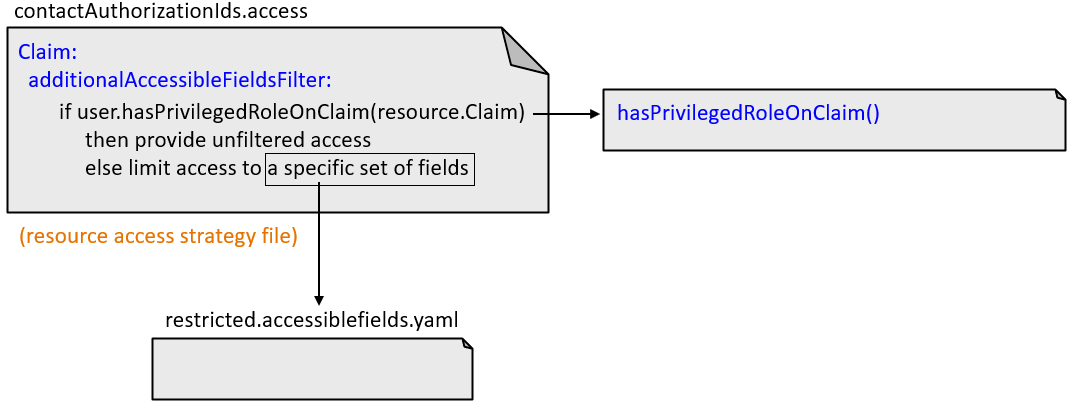
The "hasAccessOn<Resource>" methods and ClaimContact role yaml files
In the base configuration, the additional accessible fields filters use a set of
internal methods to determine whether to grant unfiltered or filtered access. These
methods all have names that follow this pattern:
has...AccessOn<Resource>.
All of these methods determine whether the user has a given business relationship with a given resource. These business relationships are always defined by ClaimContact roles that are owned either by the user (when the user is a claimant) or by someone that the user represents (such as when the user is a producer).
For example, user.hasExternalUserPrivilegedAccessOnClaimContact is
called when determining if a user can access a given ClaimContact. The method checks
to see if the user is the ClaimContact. If they are, the filter gives them
unfiltered access to the ClaimContact. Otherwise, the filter gives them filtered
access to the ClaimContact.
Some "hasAccessOn<Resource>" methods reference a ClaimContact role yaml file. This is a yaml file that lists the ClaimContact roles the method checks for. You can configure the base configuration behavior by modifying which roles are listed in this file.
For example, user.hasPrivilegedRoleOnClaim is called to determine if
a user can access a given Claim. The method checks to see if the user is a
ClaimContact that has one or more specific roles on the Claim's policy. The specific
roles are listed in ClaimPrivilegedRoles.yaml. (In the base
configuration, this file lists two roles: coveredparty and
insured. Thus, a user has unfiltered access to a Claim if the
user is a ClaimContact with the role of coveredparty on the policy
or with the role of insured on the policy.
Some "hasAccessOn<Resource>" methods check for a non-configurable set of
ClaimContact roles. For example,
user.hasExternalUserPrivilegedAccessOnExposure checks to see if
the user is the ClaimContact that has the role of claimant on the
exposure. The reference to claimant does not come from a
ClaimContact roles yaml file. It is in the method itself.
The logic for all of the "hasAccessOn<Resource>" methods is documented in Cloud API contactAuthorizationIds access management and Cloud API producerCodes access management.
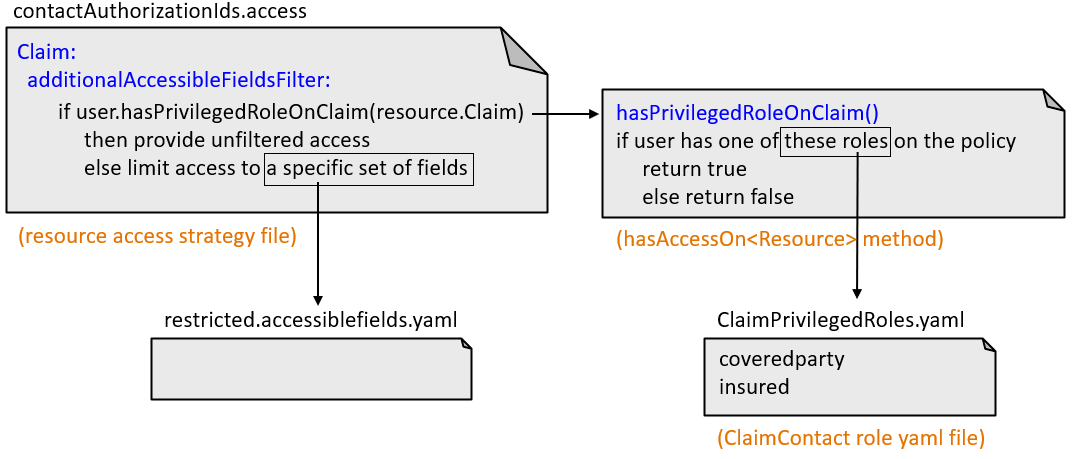
The accessiblefields.yaml files
An accessiblefields.yaml file lists the fields a user can see when an additional accessible fields filter grants them filtered access to a resource. All accessiblefields.yaml files are stored in the directory.
Claim:
  permissions:
    ...
  additionalAccessibleFieldsFilter:
viewAndEdit: "user.hasPrivilegedRoleOnClaim(resource.Claim) ? null : \"restricted\""restricted.accessiblefields.yaml
file.Claim:
edit: []
view:
- claimNumber
- id
- jurisdiction
- lobCode
- lossCause
- lossDate
- lossLocation
- lossType
- reportedDateFor a given user and Claim, if the user.hasPrivilegedRoleOnClaim
method returns false, the additional accessible fields filter expression returns the
String "restricted". This limits the user to the fields listed in
the restricted.accessiblefields.yaml file. For Claims, this
means:
- The user cannot edit any fields.
- The user can view only
claimNumber,id,jurisdiction,lobCode,lossCause,lossDate,lossLocation,lossType, andreportedDate.
Summary of files that define third-party data access logic
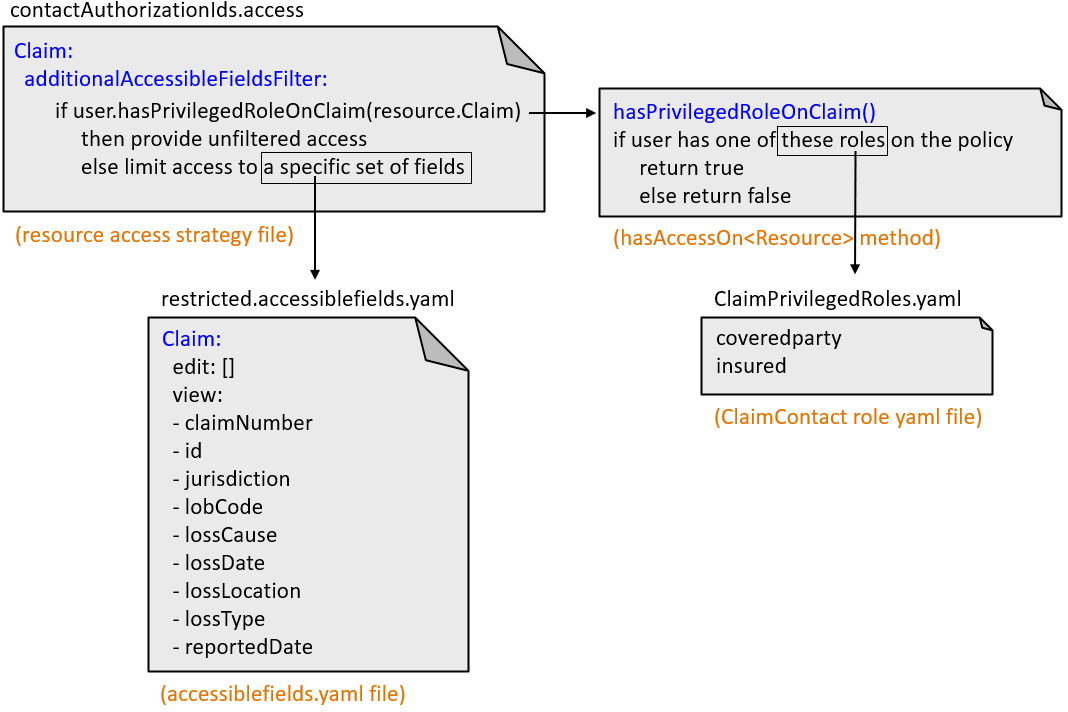
The resource access strategy file (such as
contactAuthorizationIds.access) can contain additional
accessible fields filters. Each filter specifies if/else logic. If the
condition is true, the user has unfiltered access to the resource. If the condition
is false, the user has filtered access to the resource.
The "hasAccessOn<Resource>" methods (such as
hasPrivilegedRoleOnClaim) are internal methods used in the base
configuration to determine the business relationship a user has with the resource.
Many of these methods check to see if the user (or the insured the user is working
for) has a role listed in a ClaimContact role yaml file (such as
ClaimPrivilegedRoles.yaml)
If the "hasAccessOn<Resource>" method returns true, the user has unfiltered
access. If it returns false, the additional accessible fields filter expression
returns a string that names an accessiblefields.yaml file (such as
restricted.accessiblefields.yaml). This file identifies the
fields that the user is limited to.